
Fusion Workflow Intelligence
One explainable view of your Fusion approval workflows.
Addresses the visibility, control, and investigation gaps hidden inside Oracle Fusion BPM workflows.
The problem
Approvals run on rules that are hard to see
Fusion routes approvals with BPM rules. Misconfigured rules cause missed approvals and delayed transactions, and Fusion makes existing rules hard to report on and correct.
Today, understanding one approval journey often requires stitching together BPM rules, BIP extracts, spreadsheets, groups, and transaction history.
Inside the tool
See it in action
Click any screen to enlarge. All screens are shown with demo data.
-
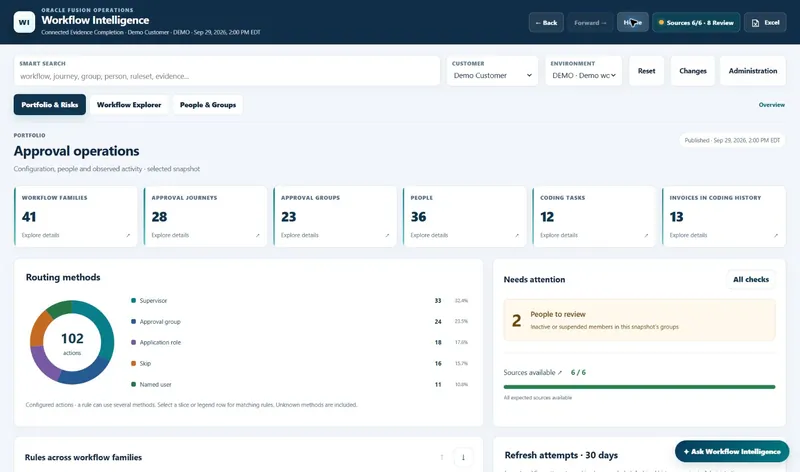
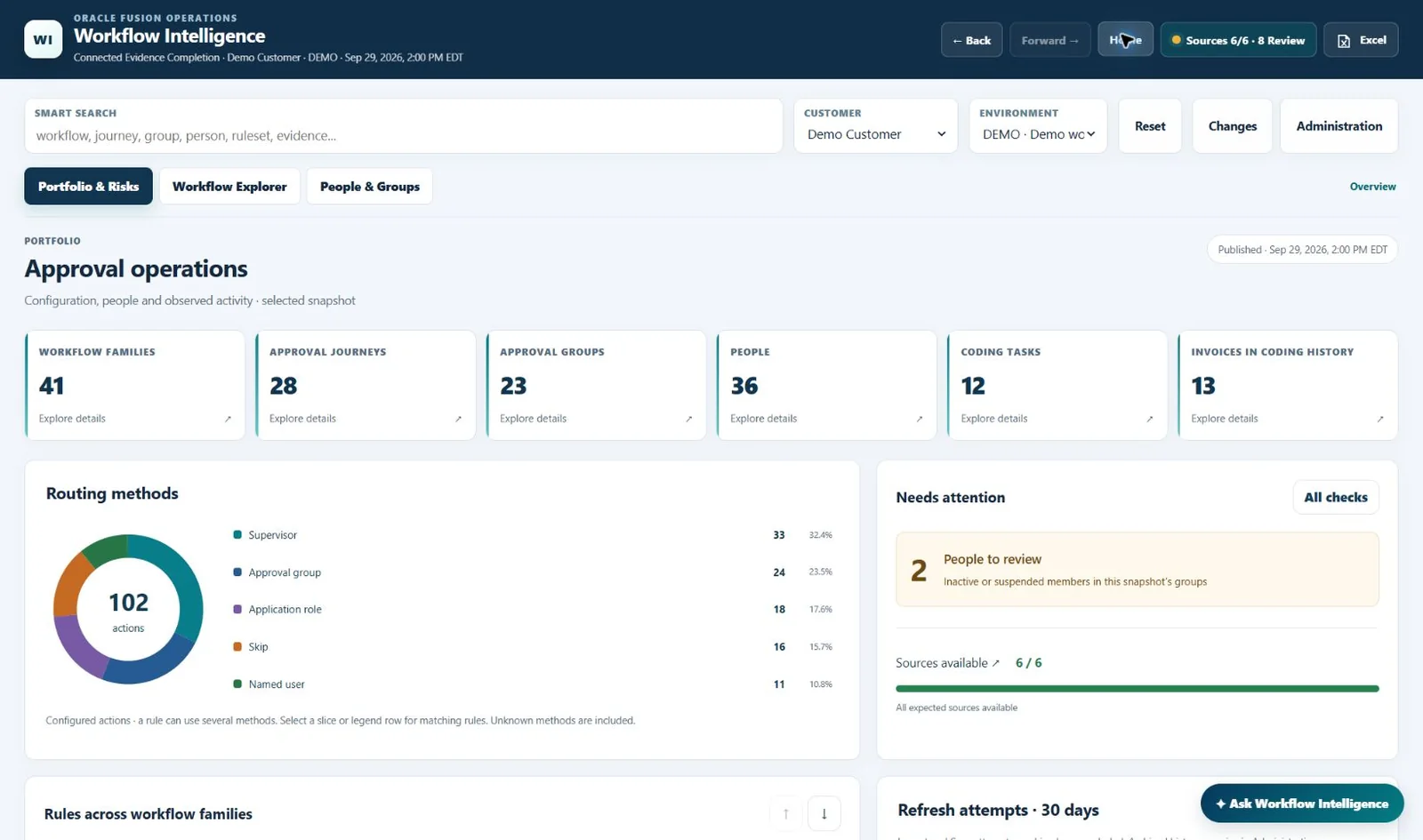
Portfolio & Risks dashboard. Approval operations at a glance: counts of workflow families, approval journeys, approval groups, people and coding tasks, a breakdown of routing methods, and a Needs attention panel. -
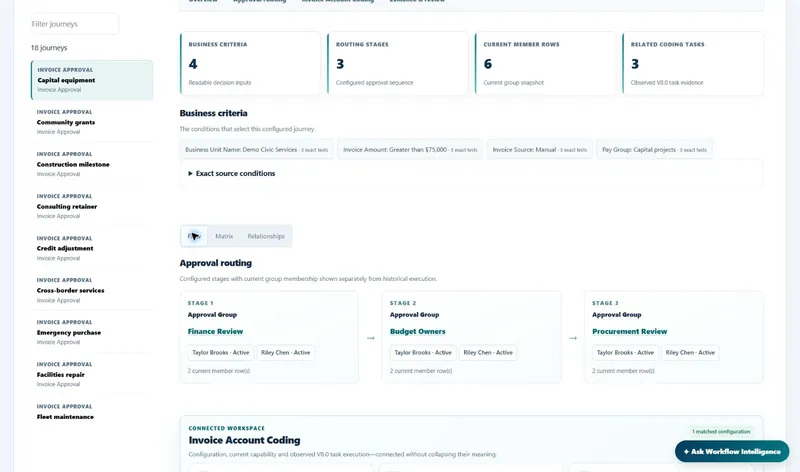
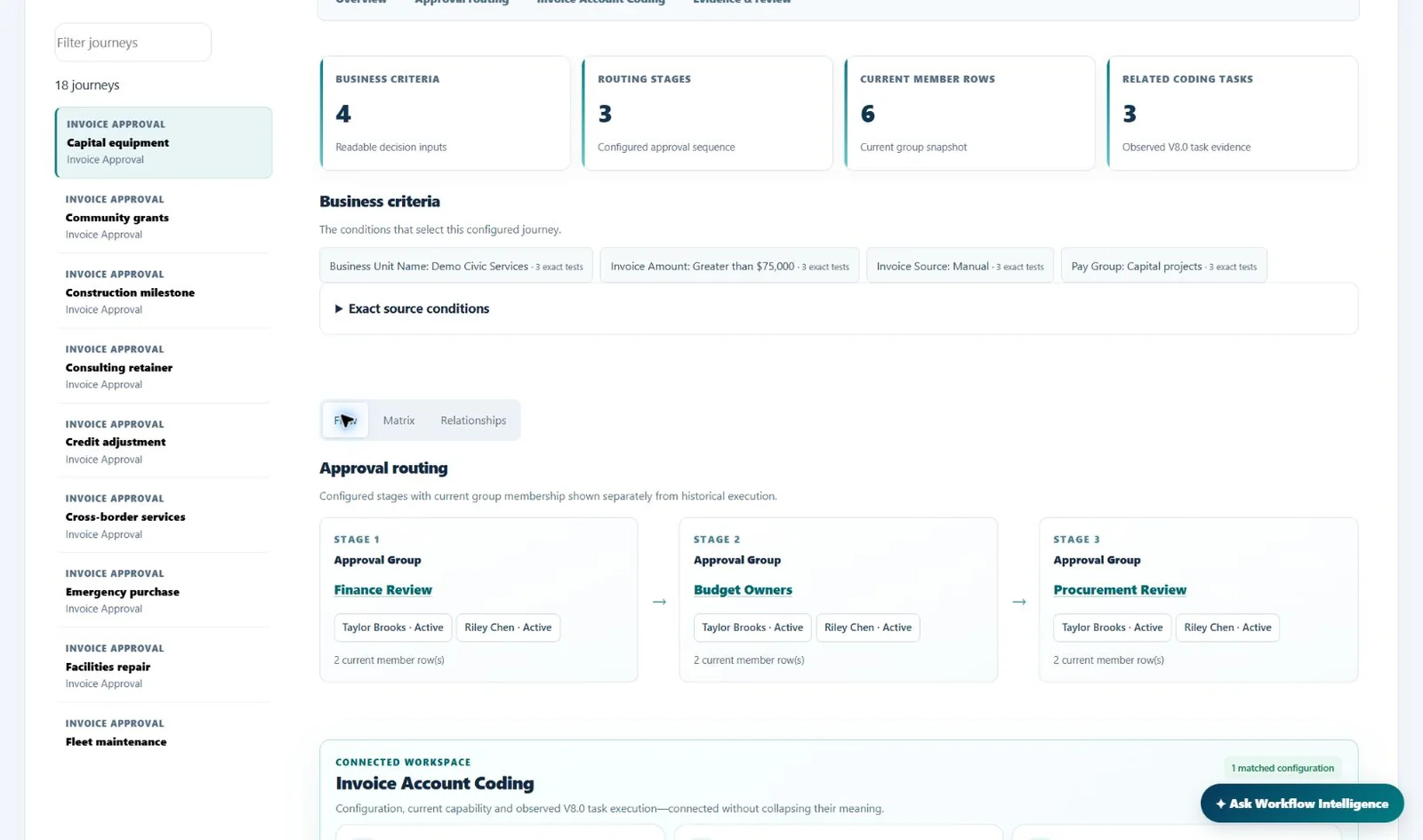
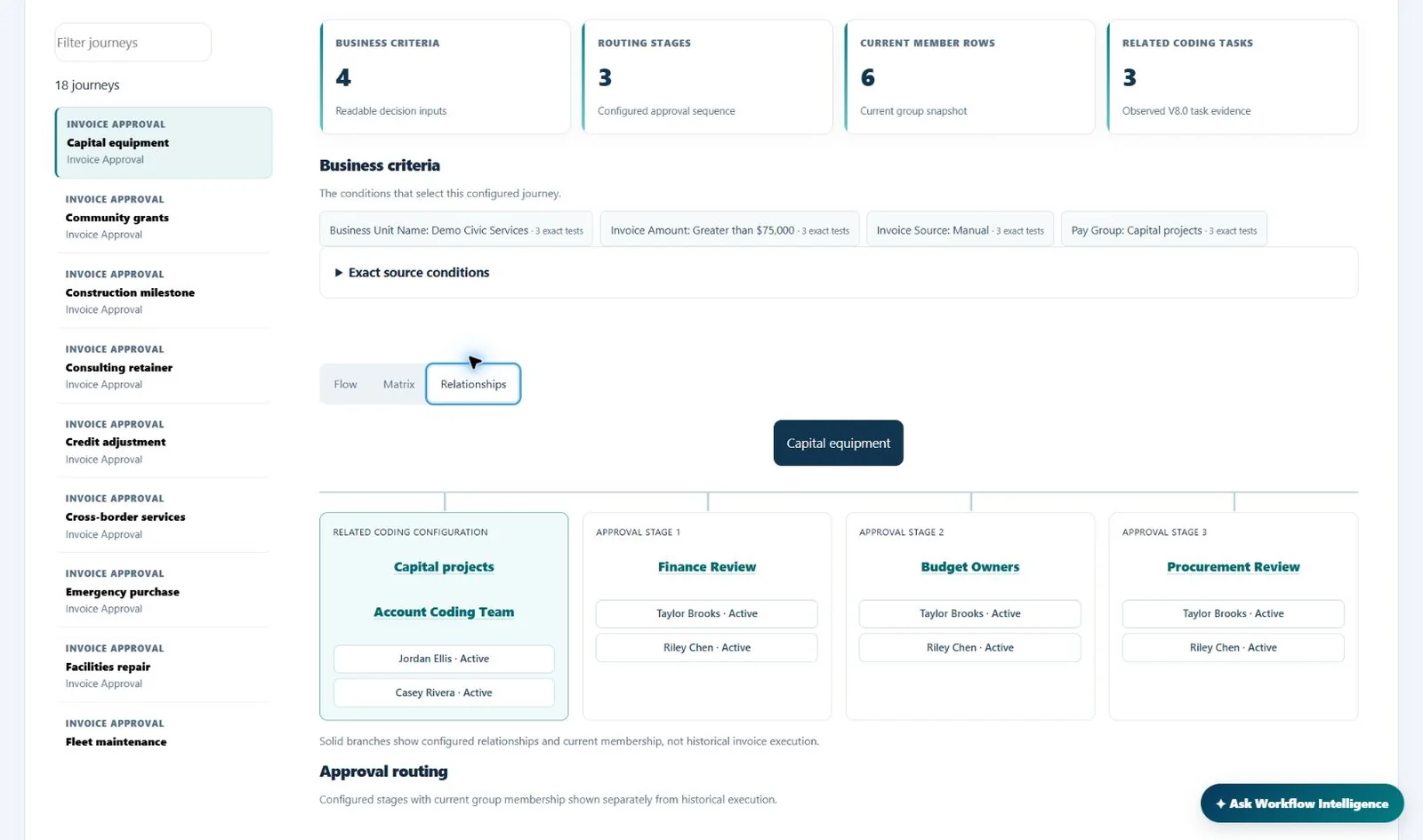
Workflow Explorer: approval journey. One approval journey in plain terms: the business criteria that select it, then each approval stage in order with the group’s current members. -
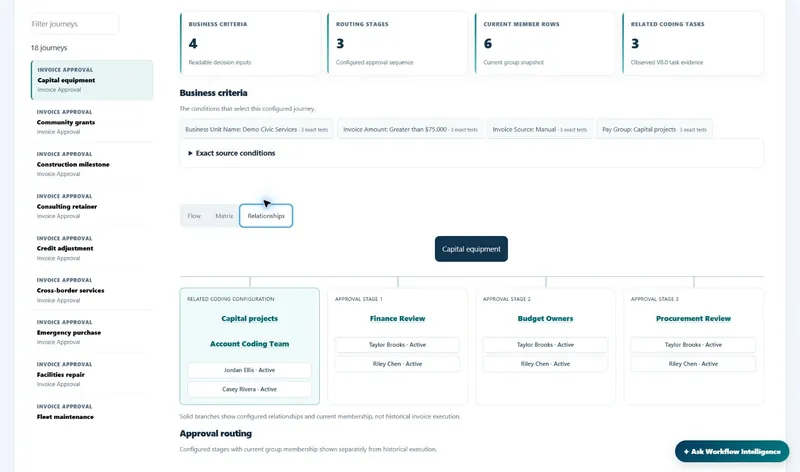
Relationships view. The same journey as a relationship tree, linking it to its related coding configuration and to every approval stage and its members. -
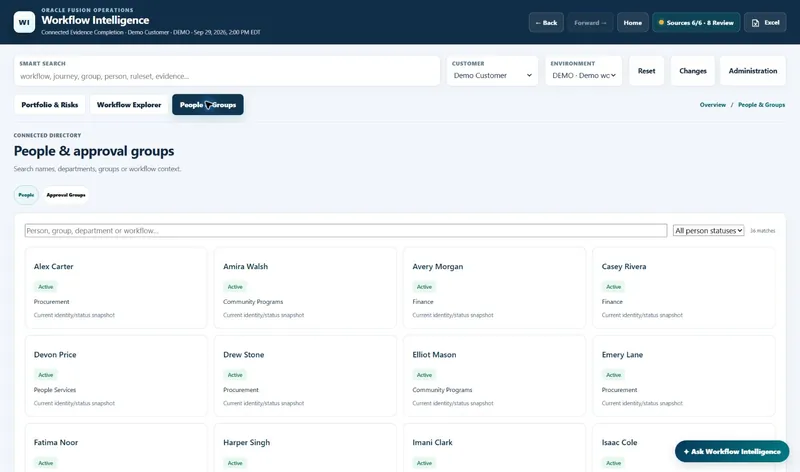
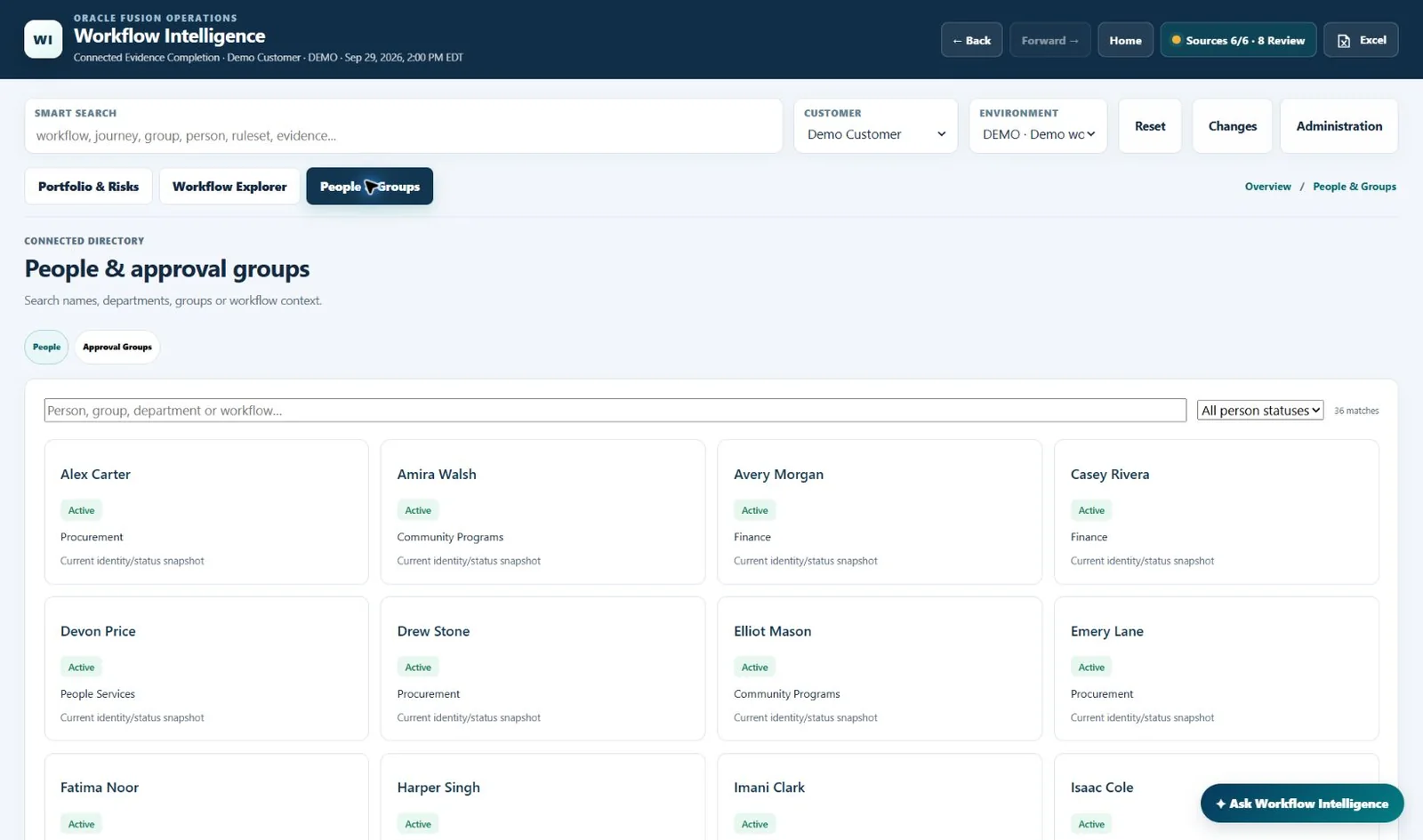
People & Groups directory. A connected directory of people and approval groups, searchable by name, department, group or workflow, with each person’s status and department. -
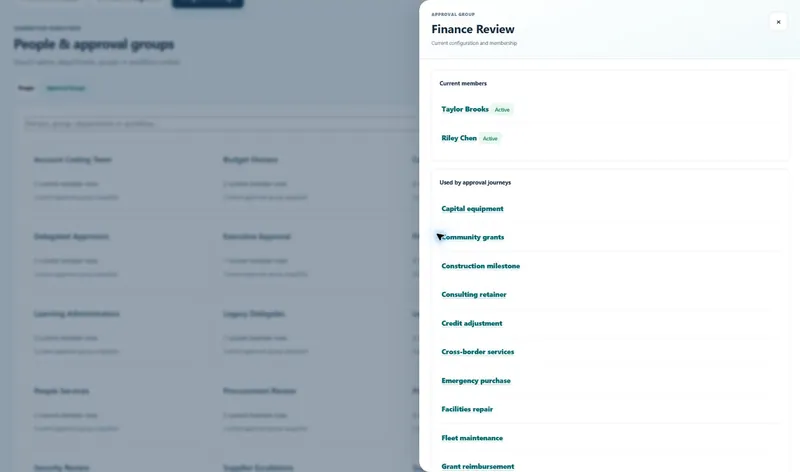
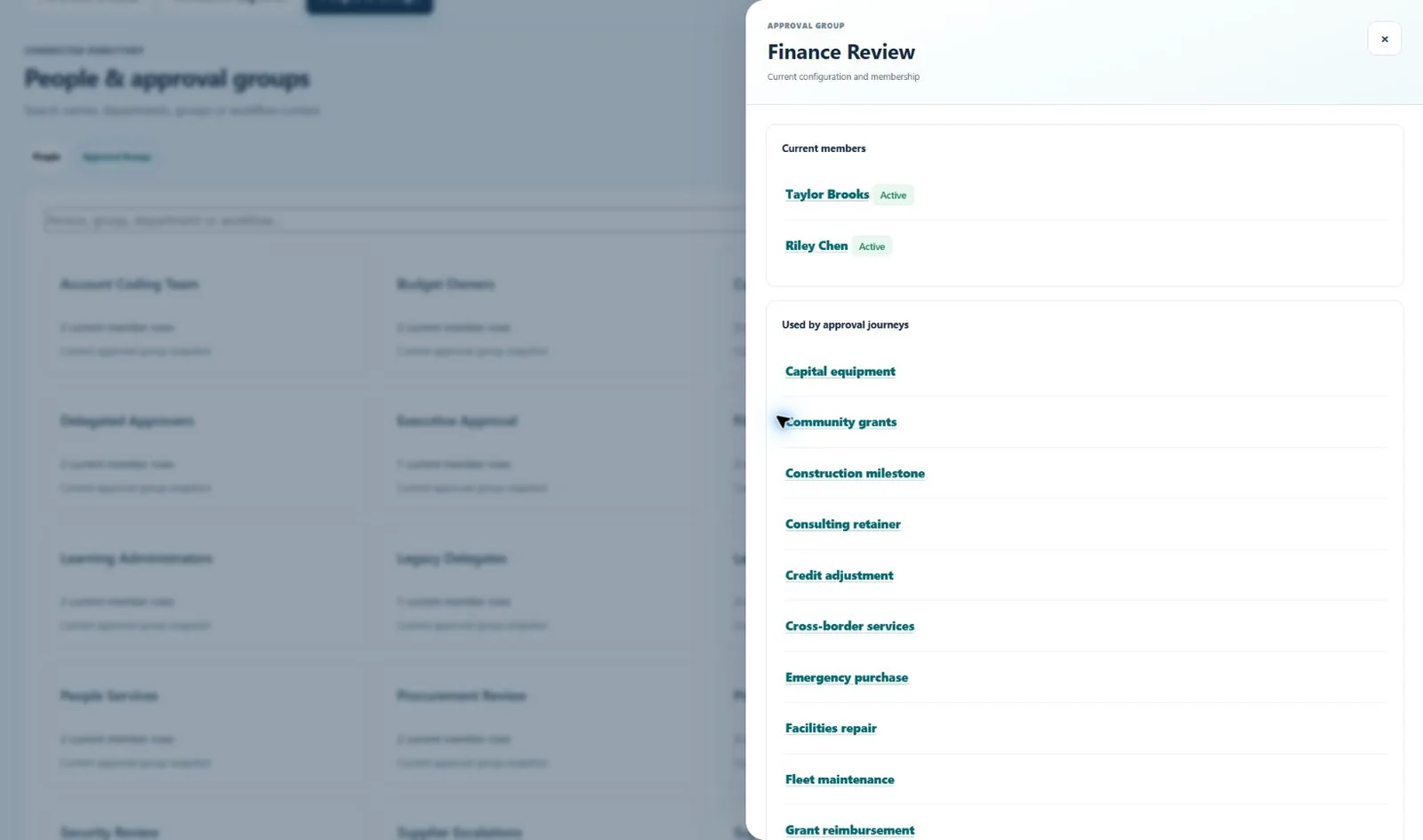
Approval group detail. Open any approval group to see its current members and every approval journey that uses it. -
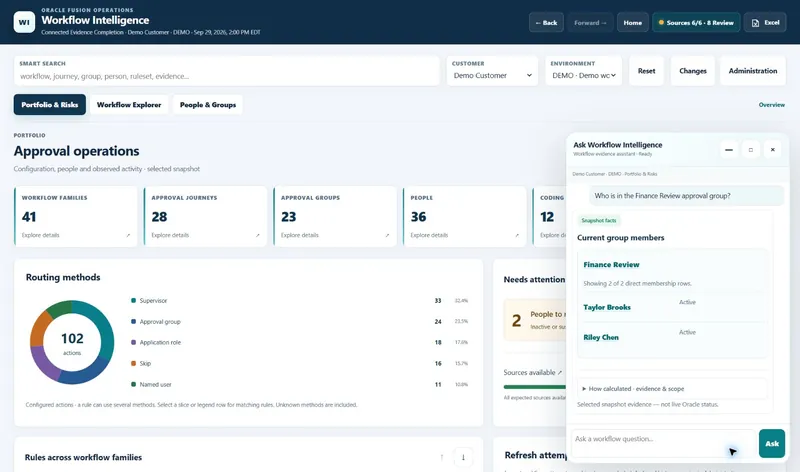
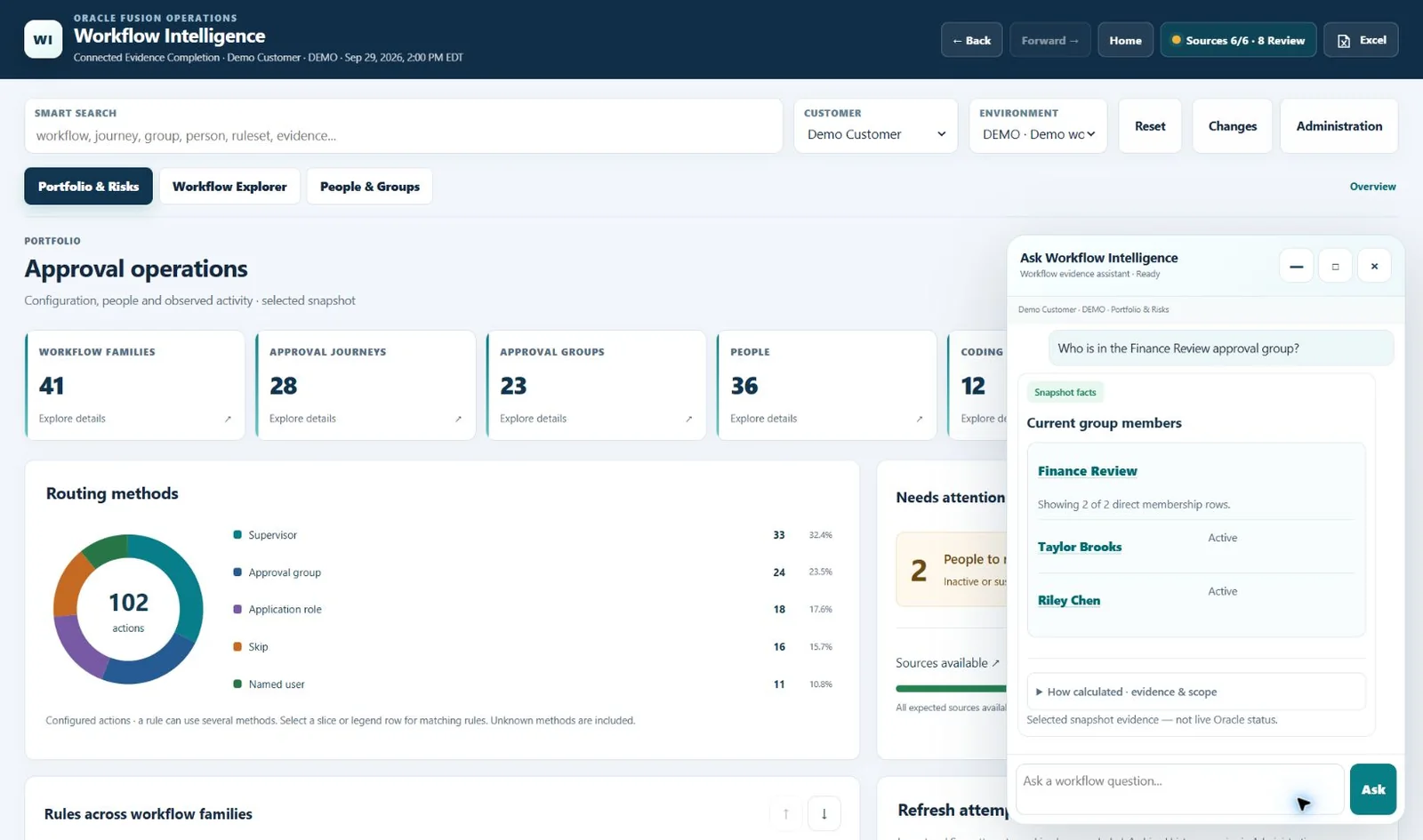
Ask Workflow Intelligence. A built-in assistant answers workflow questions from the selected snapshot, with a “How calculated” evidence and scope disclosure.
Business pain points addressed
What it fixes
Fragmented Configuration
Workflow logic is split across BPM rules, stages, reports, XML, and spreadsheets.
Limited Business Visibility
Business users cannot easily answer who approves, in what order, and under what conditions.
Unclear Group Ownership
Approval-group membership changes over time with limited visibility into current active members.
Manual Investigation Effort
Support teams must correlate multiple extracts and files to troubleshoot a single workflow issue.
Hidden Approval Risks
Suspended users, unresolved identities, nested groups, and missing definitions often stay unnoticed.
Change Impact Uncertainty
It is hard to understand which workflows and approvers are affected by a configuration or personnel change.
Audit & Review Burden
Control reviews and audit evidence require manual reconstruction from technical source data.
Key-Person Dependency
Workflow knowledge is concentrated with a few technical specialists rather than shared with functional teams.
The engagement
What's included
01
Workflow Intelligence Tool
An easy-to-use, web-based tool that consolidates BPM rules from all locations into a single dashboard.
02
Dedicated Consultants
Review all rule configurations with your stakeholders to confirm which rules are correct and which need edits.
03
Implementation
Implement the identified edits in your environment.
04
Final Report
Document and present the work performed.
Bottom line: the tool converts fragmented workflow data into one explainable business view for transparency, faster investigation, and stronger controls.
Under the hood
How it connects to Fusion
Fusion Workflow Intelligence pulls approval data from these sources:
Standard Oracle Fusion sources
- SOA BPM approvals Standard Oracle
- Approval groups Scheduled process
- Invoice approvals Excel export from Setup and Maintenance
- Journal approvals Excel export from Setup and Maintenance
Custom sources
- HR status report Custom BI report
- Invoice approval coding report Custom BI report
Related services
Part of our process improvement work
Fusion Workflow Intelligence supports our Business Process Improvement service. For release testing, see Application Test Automation and TSM (Test Script Management).
Fusion Workflow Intelligence
Get one view of who approves what, in what order, and under what conditions.